
Understanding Computer Hardware
Computer hardware refers to the physical components that make up a computer system. These are the tangible parts you can see and touch. Understanding hardware is essential to knowing how computers work.
Learning Objectives
By the end of this lesson, you should be able to:
- Define computer hardware and its importance
- Identify and classify different hardware categories
- Explain the function of various input, processing, output, and storage devices
- Understand basic computer architecture
- Recognize how hardware components work together
What is Hardware?
Hardware refers to all the physical, tangible components of a computer system that you can see and touch. These components work together to process data and perform tasks.
Key Characteristics: Physical, tangible, can be repaired/replaced, wears out over time, manufactured in factories.
Examples: Keyboard, monitor, CPU, mouse, printer, hard drive, motherboard, RAM.
Four Main Categories of Hardware
Hardware can be classified into four main categories based on their function:
Input Devices
Allow users to enter data and commands
Keyboard, mouse, scanner, mic
Processing Devices
Process data and perform calculations
CPU, GPU, motherboard
Output Devices
Display or present processed information
Monitor, printer, speakers
Storage Devices
Store data permanently or temporarily
HDD, SSD, USB, RAM
Input Devices
Input devices allow users to send data, commands, and instructions to the computer. They convert human actions into digital signals that the computer can understand.
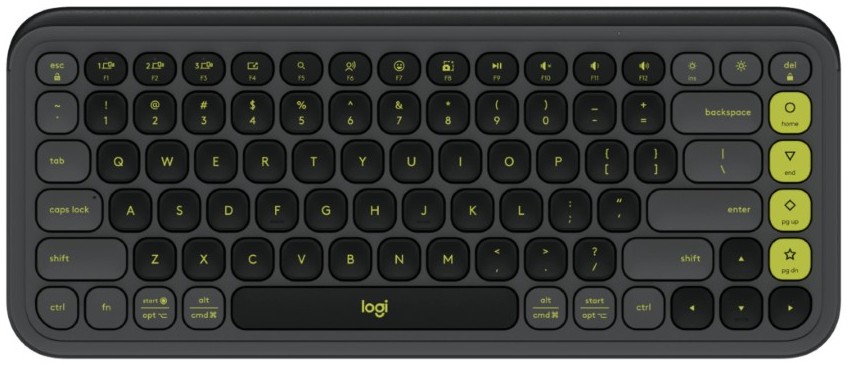
Keyboard
Primary Function:
Allows typing text, numbers, and commands by pressing keys.
Key Features:
- QWERTY layout (standard arrangement)
- Function keys (F1-F12 for commands)
- Numeric keypad for numbers
- Modifier keys (Ctrl, Alt, Shift)

Mouse
Primary Function:
Controls cursor on screen for clicking, dragging, and selecting.
Key Features:
- Left/Right buttons for clicking
- Scroll wheel for navigation
- Optical/Laser sensor tracks movement
- Wired or wireless connection

Microphone
Primary Function:
Captures sound waves and converts to digital audio.
Key Features:
- Frequency response range
- Sensitivity for quiet sounds
- Directional pickup pattern
- USB, 3.5mm jack, or wireless
Processing Devices
Processing devices are the brain of the computer. They perform calculations, execute instructions, and manage data flow between different components.

CPU (Central Processing Unit)
Primary Function:
The "brain" - executes instructions and performs calculations.
Key Features:
- Clock speed measured in GHz
- Multiple cores (dual, quad, etc.)
- Cache memory for frequent data
- 32-bit or 64-bit architecture

GPU (Graphics Processing Unit)
Primary Function:
Handles graphics and image processing for games/video.
Key Features:
- VRAM for storing image data
- Clock speed for processing speed
- CUDA cores for parallel processing
- HDMI, DisplayPort outputs

Motherboard
Primary Function:
Main circuit board connecting all components.
Key Features:
- CPU socket for processor
- RAM slots for memory
- PCIe slots for expansion cards
- USB, audio, Ethernet ports
Output Devices
Output devices display or present information processed by the computer in a form that humans can understand (visual, audio, or physical).
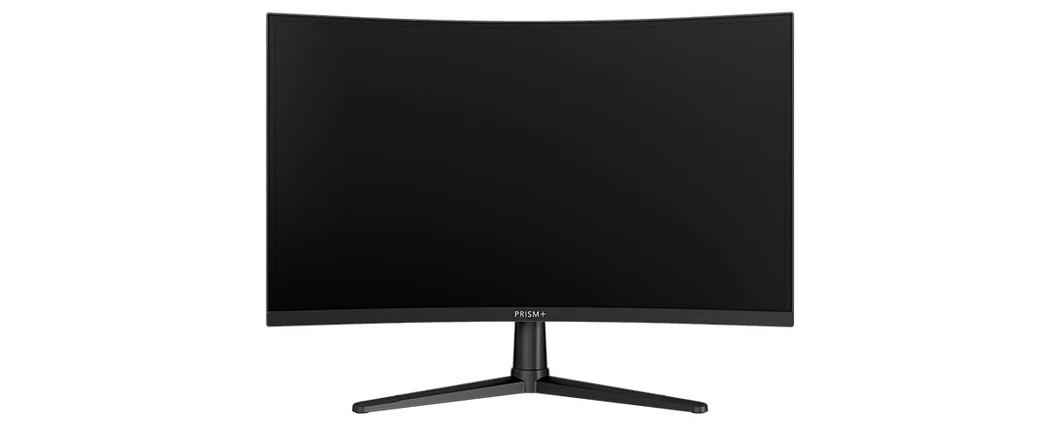
Monitor
Primary Function:
Displays visual output as text, images, and videos.
Key Features:
- Screen size in inches (diagonal)
- Resolution (1920x1080, etc.)
- Refresh rate in Hz
- Panel type (LCD, LED, OLED)

Printer
Primary Function:
Produces physical copies of digital documents.
Key Features:
- Type: Inkjet, Laser, Dot Matrix
- Resolution in DPI
- Speed in pages per minute
- USB, Wi-Fi, Ethernet connectivity
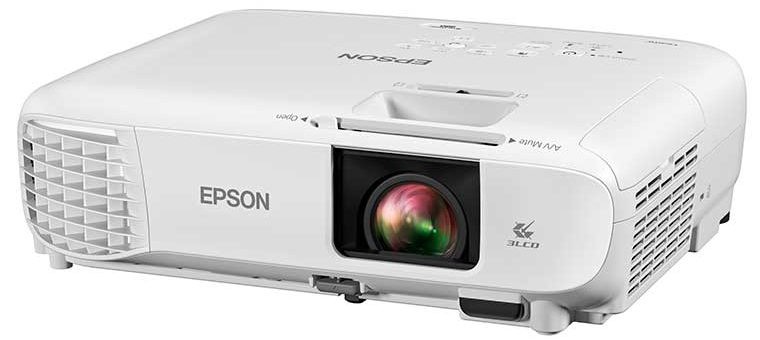
Projector
Primary Function:
Projects computer display onto large screen/wall.
Key Features:
- Brightness in lumens
- Native resolution (1080p, etc.)
- Throw distance
- Technology: DLP, LCD, LED
Storage Devices
Storage devices save data and programs for future use. They can be temporary (volatile) or permanent (non-volatile).

Hard Disk Drive (HDD)
Primary Function:
Long-term magnetic storage with spinning platters.
Key Features:
- Capacity: 500GB to 10TB+
- Speed in RPM (5400, 7200)
- SATA or SAS interface
- Mechanical moving parts

Solid State Drive (SSD)
Primary Function:
Fast storage using flash memory chips.
Key Features:
- Much faster than HDD
- More durable (no moving parts)
- Form factor: 2.5", M.2
- Power efficient for laptops

USB Flash Drive
Primary Function:
Portable storage for transferring files.
Key Features:
- Small, lightweight, portable
- Capacity: 4GB to 2TB
- USB 2.0, 3.0, 3.1 standards
- Plug-and-play (no power cable)
Basic Computer Architecture
Understanding how hardware components work together is key to understanding computers. Here's a simplified view of computer architecture:

Simplified Computer Architecture Diagram
Input Stage
Devices: Keyboard, mouse, scanner, microphone
Function: Convert human actions into digital data.
Example: Typing "Hello" → Computer receives binary data.
Processing Stage
CPU Components:
- ALU: Arithmetic Logic Unit (math/logic)
- CU: Control Unit (manages execution)
- Registers: Fast temporary storage
Function: Executes instructions and calculations.
Storage Stage
Main Memory (RAM): Temporary for running programs
ROM: Read-Only Memory (stores BIOS)
Permanent Storage: HDD, SSD, USB (keeps data when off)
Function: Store data short-term and long-term.
Output Stage
Devices: Monitor, printer, speakers, projector
Function: Convert digital data to human-perceivable forms.
Example: Computer sends image → Monitor displays picture.
How Components Work Together:
- Input: Type on keyboard
- Processing: CPU processes keystrokes
- Storage (temp): Characters stored in RAM
- Output: Characters appear on monitor
- Storage (perm): Save data to hard drive
Quick Knowledge Check
Which of the following is NOT a hardware component?
Test Your Hardware Knowledge
Now that you've learned about computer hardware components and their functions, test your understanding with this comprehensive quiz covering all hardware categories.
Take Hardware TestLesson Summary
Key Concepts Learned
You have successfully learned:
- Hardware Definition: Physical, tangible computer components
- Four Categories: Input, Processing, Output, and Storage devices
- Input Devices: Keyboard, mouse, scanner, microphone
- Processing Devices: CPU, GPU, motherboard, PSU
- Output Devices: Monitor, printer, speakers, projector
- Storage Devices: HDD, SSD, USB, RAM
Computer Architecture
Understanding how components work together:
- Input → Process → Storage → Output (basic flow)
- CPU = Brain: ALU (math/logic), CU (control)
- Memory types: RAM (temporary), ROM (permanent basic), Storage (permanent data)
- All hardware works together to execute tasks
Ready for the Next Step
Now that you understand hardware components and how they work, you're ready to explore the other half of computer systems: Software. The next lesson will cover different types of software, operating systems, and application programs that make hardware useful.