
Understanding ICT
Information and Communication Technology (ICT) refers to technologies that provide us with access to information through telecommunications. It's focuses primarily on communication technologies like the internet, wireless networks, and mobile phones.
Learning Objectives
By the end of this lesson, you should be able to:
- Define ICT and understand its basic concepts
- Identify various ICT tools and their purposes
- Distinguish between hardware and software
- Explain essential computer system components
- Apply ICT concepts to everyday activities
1. What is ICT?
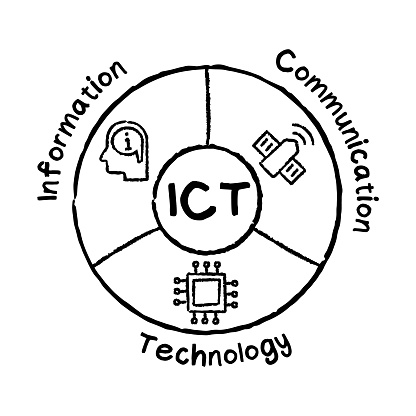
The Three Components of ICT
ICT = Information + Communication + Technology
Think of ICT as a triangle where all three components work together:
- Information: Data that has been processed to be useful (facts, statistics, knowledge)
- Communication: Sharing or exchanging information between people
- Technology: Tools and machines that help us process and share information
Simple Definition:
- ICT is any technology that helps us create, store, process, and share information with others.
- Examples: Computers, smartphones, internet, email, social media, online banking
- Purpose: To make information easier to access, share, and use
2. What is a Computer ?
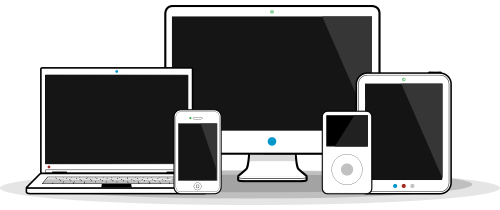
A computer is an electronic device that processes data according to a set of instructions (a program) to produce meaningful information, perform calculations, automate tasks, or control other devices. The two basic components that make up a computer are hardware & Software.
Hardware Component
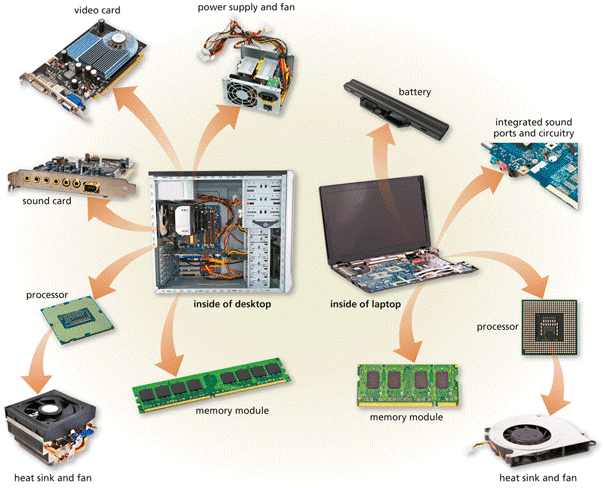
These are the physical parts you can touch, Examples include:
- Central Processing Unit (CPU)
- Memory (RAM):
- Storage (HDD/SSD)
- Motherboard
- Keyboard, monitor, etc.
Software component
These are the instructions that tell hardware what to do:
- System Software: Operating systems (Windows, macOS, Linux)
- Application Software: Word processors, spreadsheets, games
- Utility Software: Antivirus, backup tools, file compressors
- Programming Software: Compilers, debuggers, code editors
Essential Computer System Parts
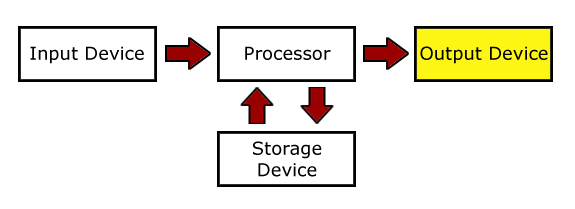
Every computer, from a smartphone to a giant server, uses its hardware to perform four essential jobs: Input, Process, Storage & Output. (IPOS)
A Inputs Stage: Entering data into the digital systems.
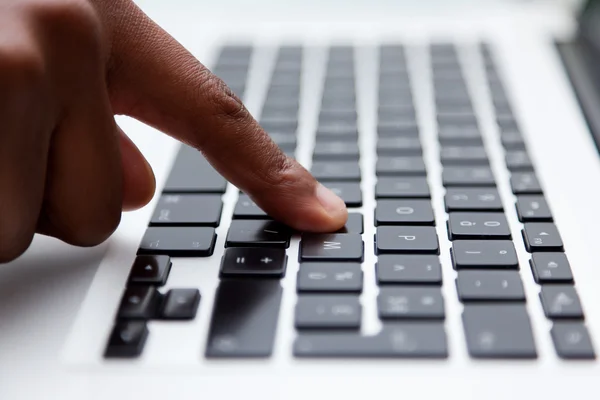
This is the stage where we give the computer information or commands using physical tools called input devices. Examples include;
- Keyboard: for typing
- Mouse: for pointing
- Microphone: for capturing sound
- Scanner: Capturing hard copy documents in to digital form
B Process Stage: The computer's main thinking job.
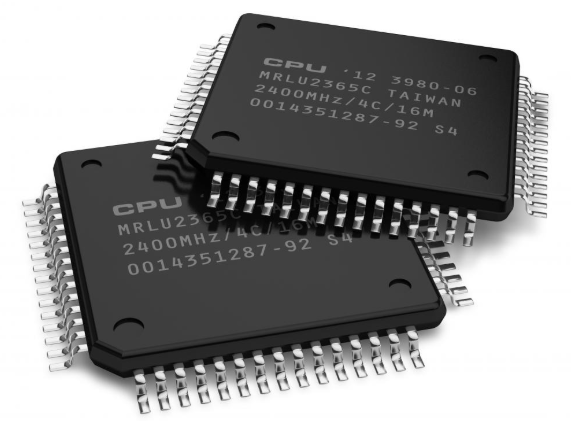
Processing is when the computer follows instructions to change or calculate your data, turning it into something useful. Example: In a calculator, you press 2 + 2 = (input). Processing is when it adds the numbers together. Then it shows you 4 (output)
- Central Processing Unit (CPU): Acts as the "brain," handling most calculations and controlling data flow.
- Random Access Memory (RAM): Provides fast, temporary space for the CPU to hold data while it is actively being processed.
- Graphics Processing Unit (GPU): Specialized hardware for processing visual data and rendering images.
C Storage Stage: The Memory Bank.
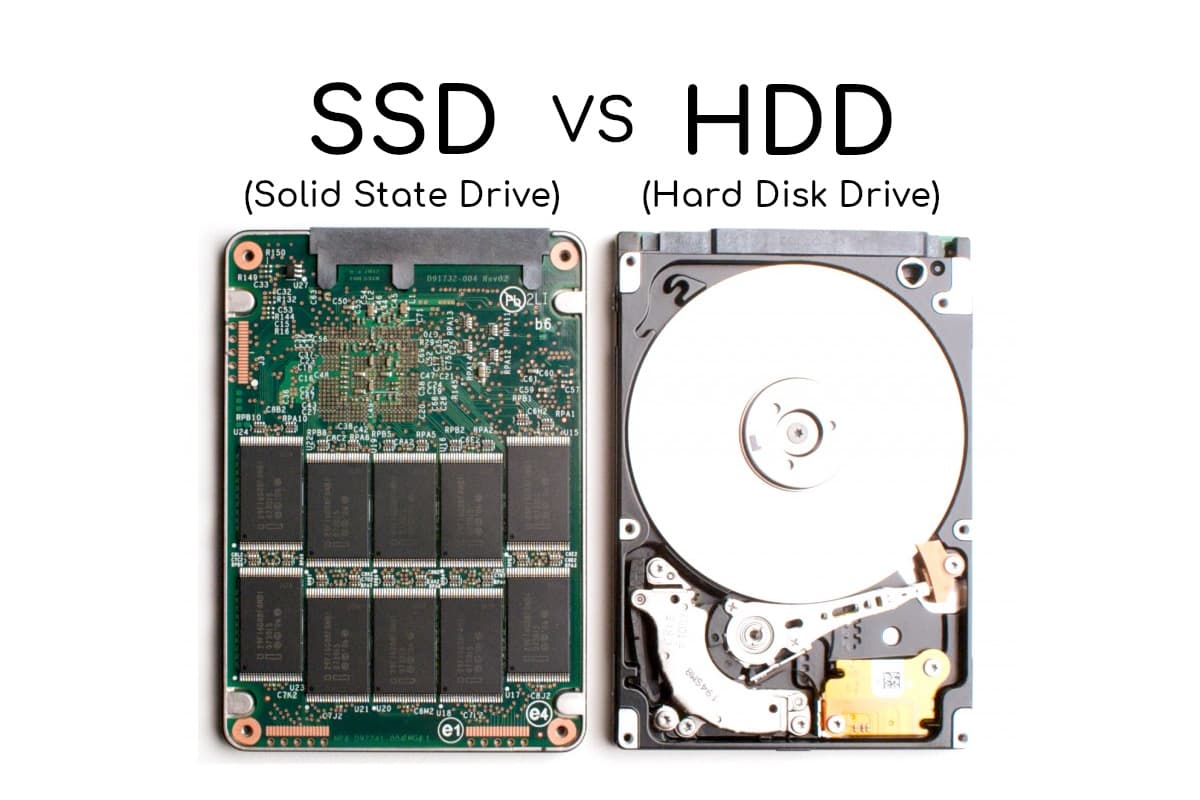
The Storage stage is the "memory bank" of the computer. It is responsible for keeping data and programs safe so they can be accessed later.
Permanent Memory
- Stores files permanently
- Keeps data when powerd off
- Measured in GB or TB
- HHD (mechanical) vs SSD (electronic)
D Output Stage: The Feedback
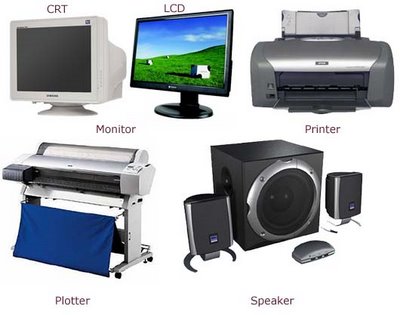
Output devices
The Output stage is where the computer presents the results of its processing in a way that humans (or other systems) can understand and use..
Key Functions
- Information Delivery: Converting digital data back into meaningful forms like text, images, or sound.
- Feedback: Providing a response so the user knows the computer has received and acted on their commands
- Action Execution: In some systems, output is a physical action, such as a smart home turning on a light or a robotic arm moving.
The Motherboard
The motherboard is the physical "backbone" or "nervous system" that allows the IPOS stages to talk to one another. Without it, the individual components would be isolated and useless.
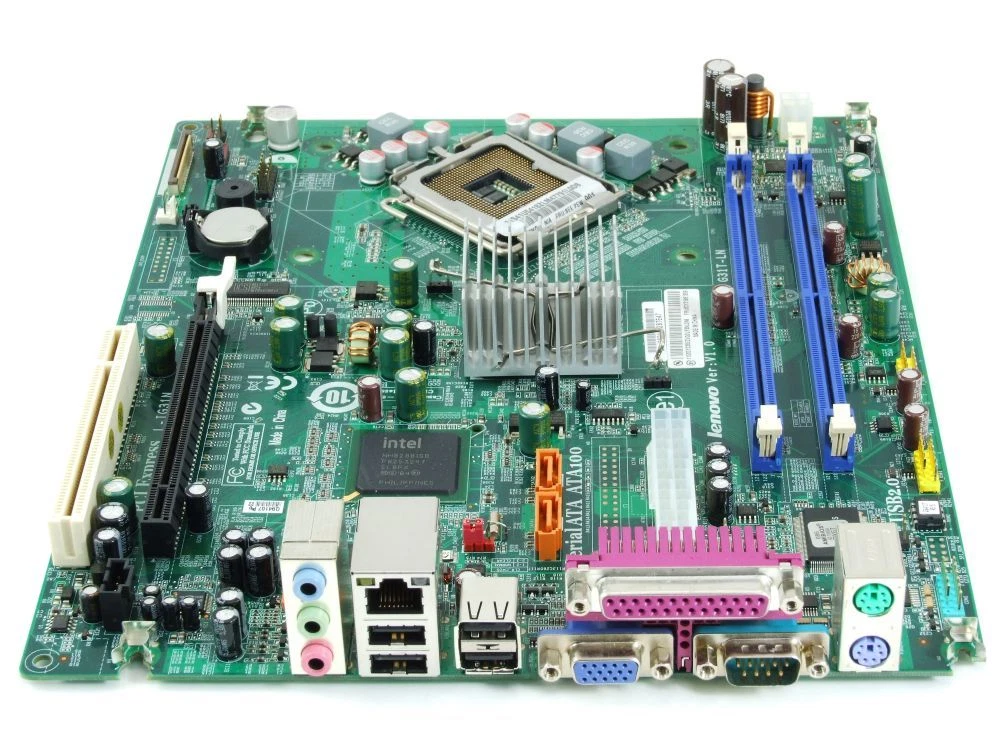
The Motherboard
Key Functions
- Connects all components
- Main circuit board
- Contains slots for CPU, RAM, etc.
- Provides communication paths
In Unit 2, we will delve into Computer Hardware and Software, examining the physical components you can touch and the programs that give them instructions.
4. What is are ICT tools ?
Think of a Tool as any item used to carry out a specific task, solve a problem, or achieve a goal more effectively.
A tool extends our capabilities and makes work easier. for Expample: One of the simplest and oldest tools is the ( hammer), this is a heavy item attached to a stick that helps us hit things
ICT tools are the specific hardware devices and software applications we use to create, store, exchange, and process information.
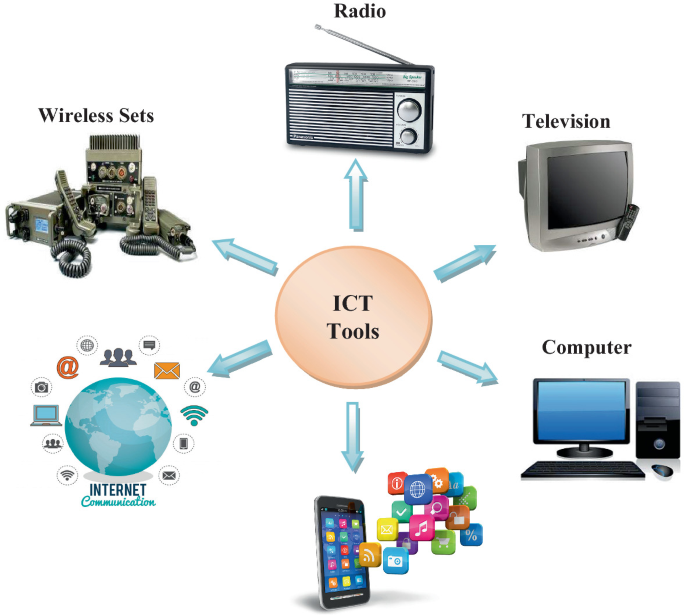
Are ICT tools important?
Yes!!, because they empower us to :
- Communicate
- Create digital Content
- Solve problems
- Access information
- Collaborate
5. ICT Applications
Information and Communication Technology (ICT) tools have completely become part of our daily lives, changing how we communicate, learn, work, and stay healthy. From the smartphones in our pockets to the complex systems running our cities, these tools create efficiency, keep us connected, and drive innovation in every field.
To truly appreciate this transformation, let's explore some key examples of how ICT tools are specifically applied across major sectors of society.
Education
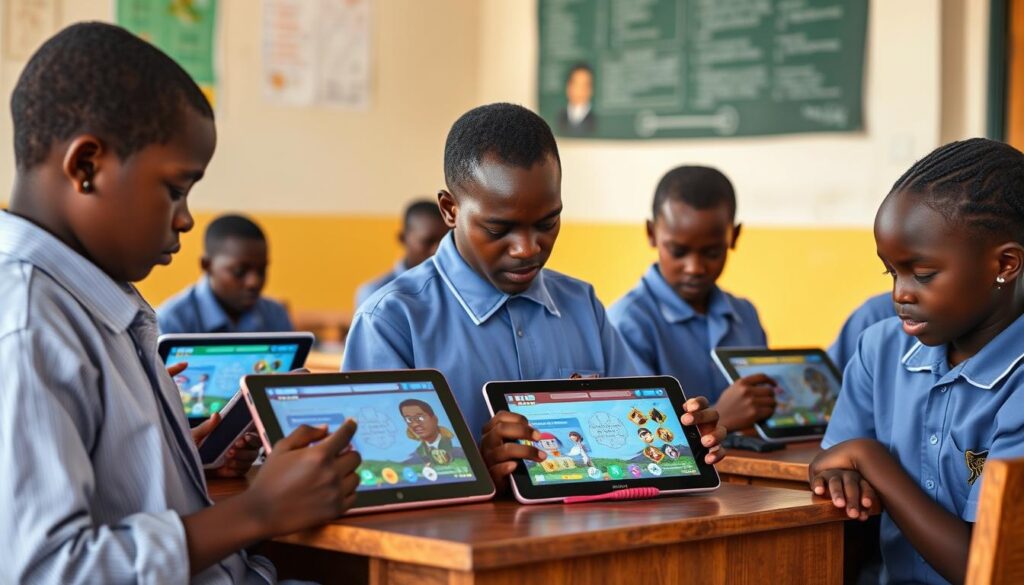
- Online learning
- Digital textbooks
- Educational apps
- Virtual classrooms
- Research databases
Communication

- Social media
- Video calls
- Instant messaging
- Online forums
Business

- Online banking
- E-commerce
- Digital marketing
- Inventory management
- Video conferencing
Healthcare
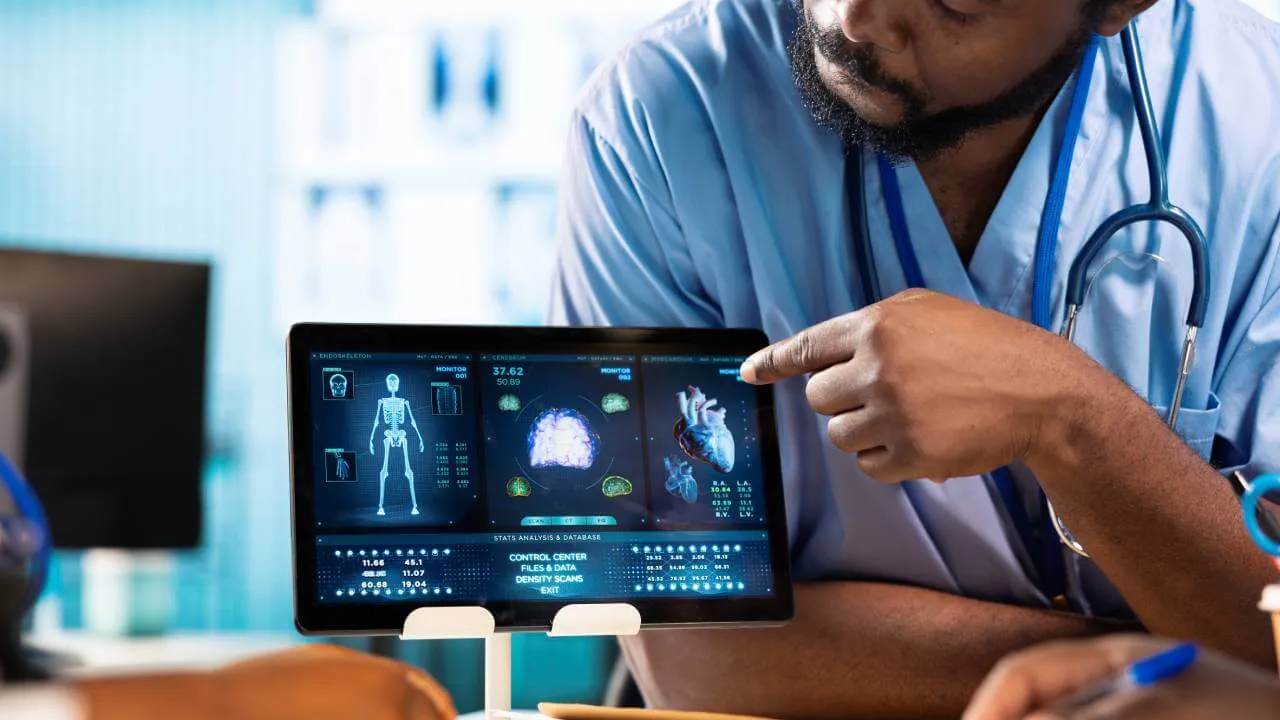
- Telemedicine
- Medical imaging
- Health monitoring apps
- Electronic medical records
Entertainment

- E-books
- Social media
- Digital music
- Online gaming
- Streaming services
Government
- Digital IDs
- E-government services
- Online tax filing
- Public information portals
Test Your Knowledge
Now that you've learned the basic concepts of ICT, test your understanding with this comprehensive quiz covering ICT tools, hardware vs software, and real-life applications.
Take ICT Concepts TestLesson Summary
Key Concepts Learned
You have successfully learned:
- ICT Definition: Technology for creating, storing, processing, and sharing information
- Hardware: Physical components (keyboard, monitor, CPU, etc.)
- Software: Programs and applications (Windows, Word, Chrome, etc.)
- Essential Components: CPU (brain), RAM (temporary memory), Storage (permanent memory)
- Real Applications: Education, business, healthcare, entertainment, communication
Memory Tips
Easy ways to remember important concepts:
- HARDware = HARD (physical objects)
- SOFTware = SOFT (programs/data)
- CPU = Brain (processes everything)
- RAM = Short-term memory (forgets when turned off)
- Storage = Long-term memory (remembers everything)
Ready for the Next Step
Now that you understand the basic concepts of ICT and can distinguish between hardware and software, you're ready to dive deeper into computer components. The next lesson will explore hardware in detail, helping you understand how each physical component contributes to a working computer system.